Setting Up Our Data in the Public Cloud with Amazon S3
I designed this workshop to run properly in the AWS us-east-2 and GCP us-central1 regions. You are free to choose a different region, but you may need to do some alterations to my documented steps to complete the labs.
First, let's get our data file that we will use for the workshop: Download NYC Reviews CSV
The data file contains 1000 reviews of New York City that I generated using ChatGPT. If you are interested in working with data on a larger scale, you can always check sites like Kaggle and listings of free public APIs.
Next, let us create an Amazon S3 bucket and put our data file there.
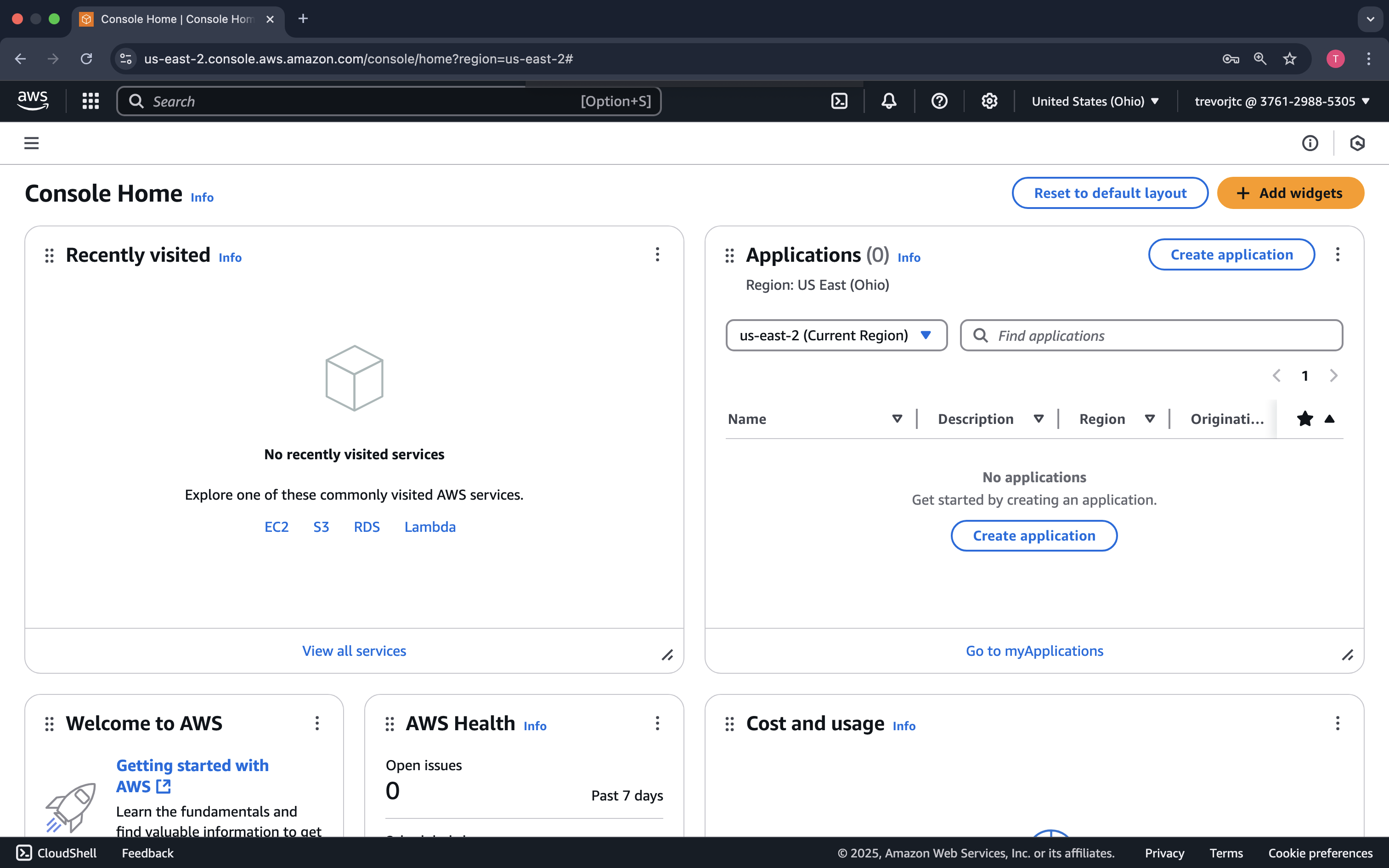
Login to the AWS Console. You should see something similar to the following:
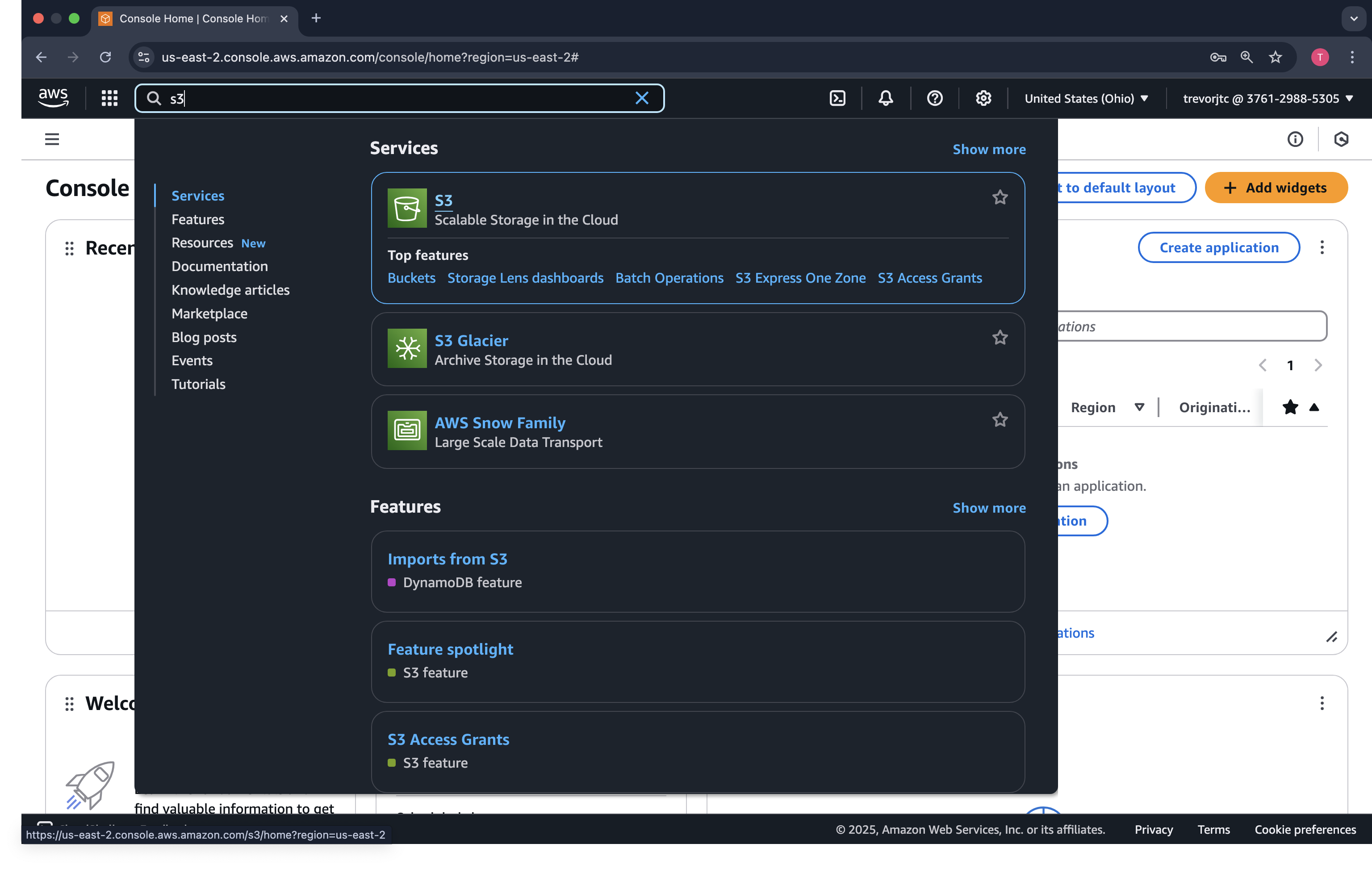
In the Search bar in the top left, type s3. The S3 service should come up in a dropdown.
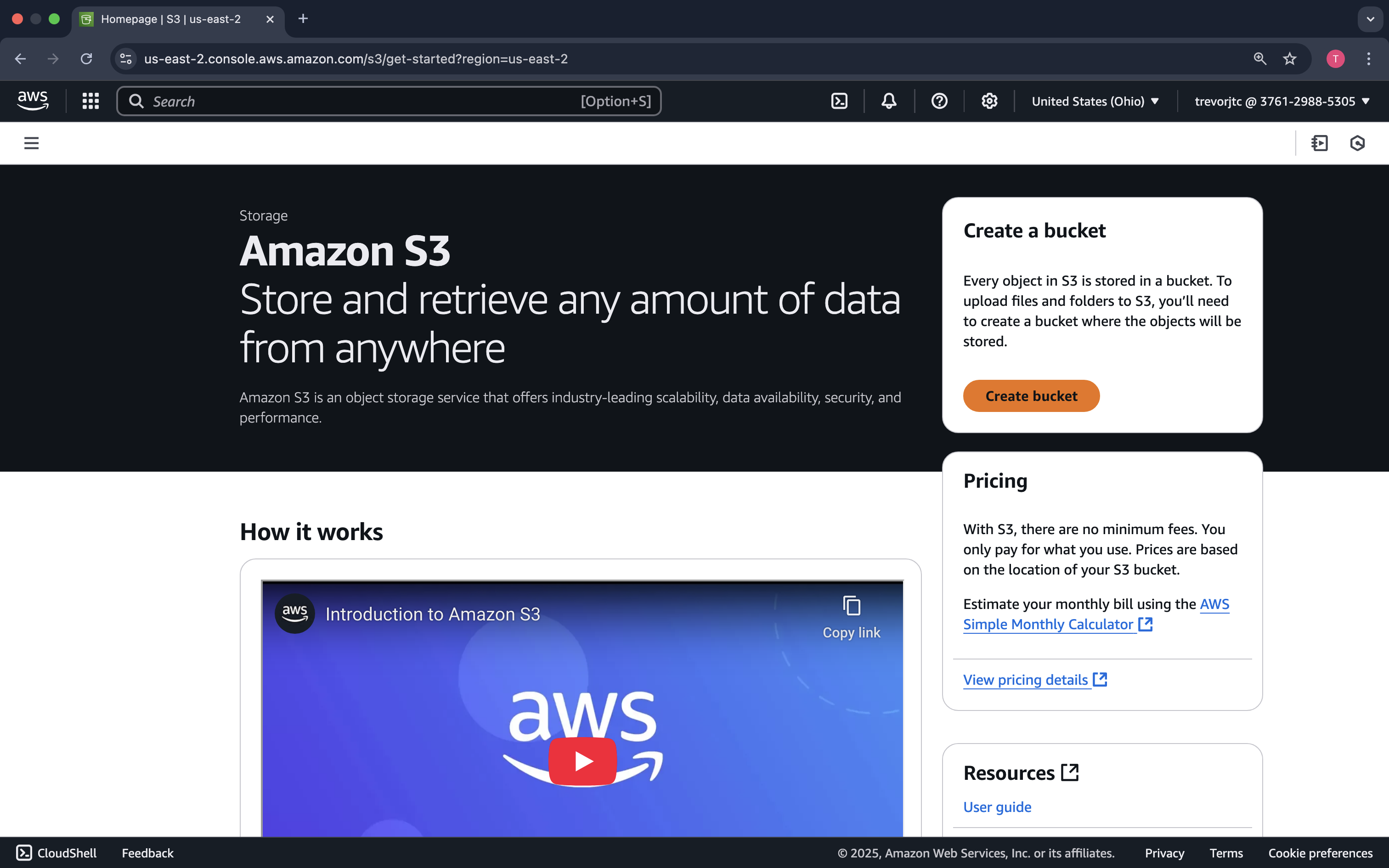
On the Amazon S3 welcome screen, click Create Bucket
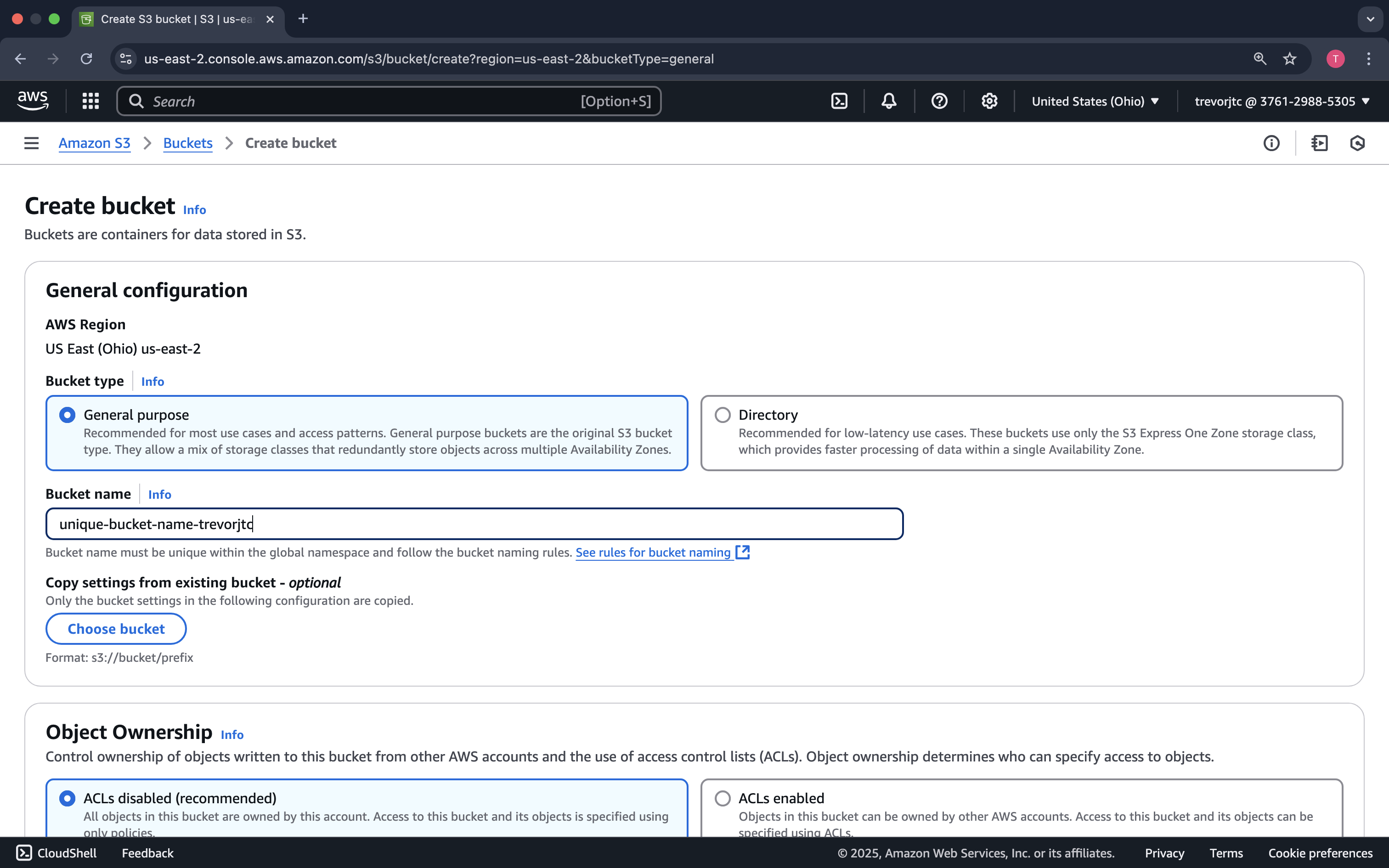
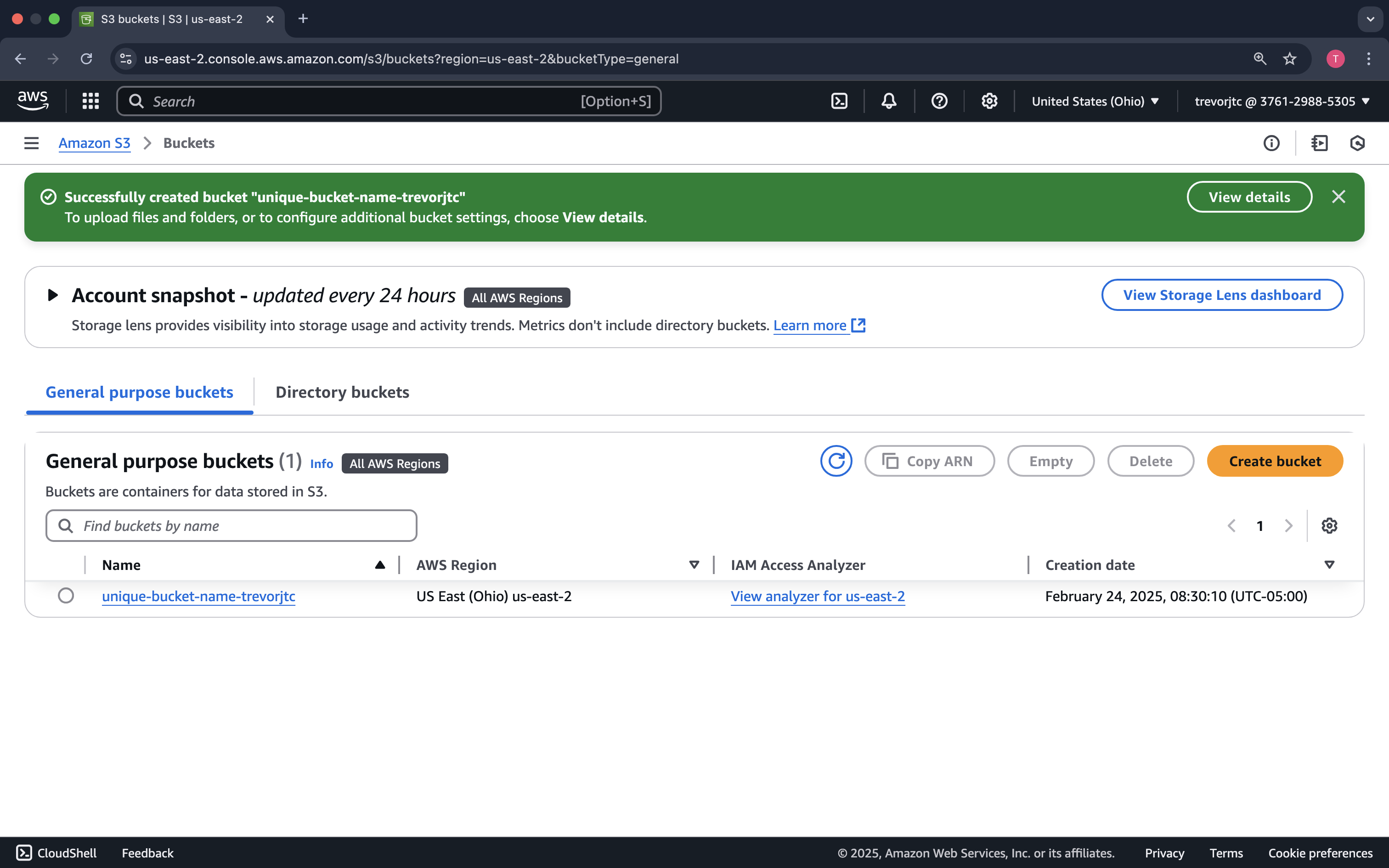
Provide a very unique bucket name. S3 is a global service, and each bucket name is registered in DNS. So, it is important you select a name that no one else has...No pressure! 😅
Click on your bucket name so that we can upload our file.
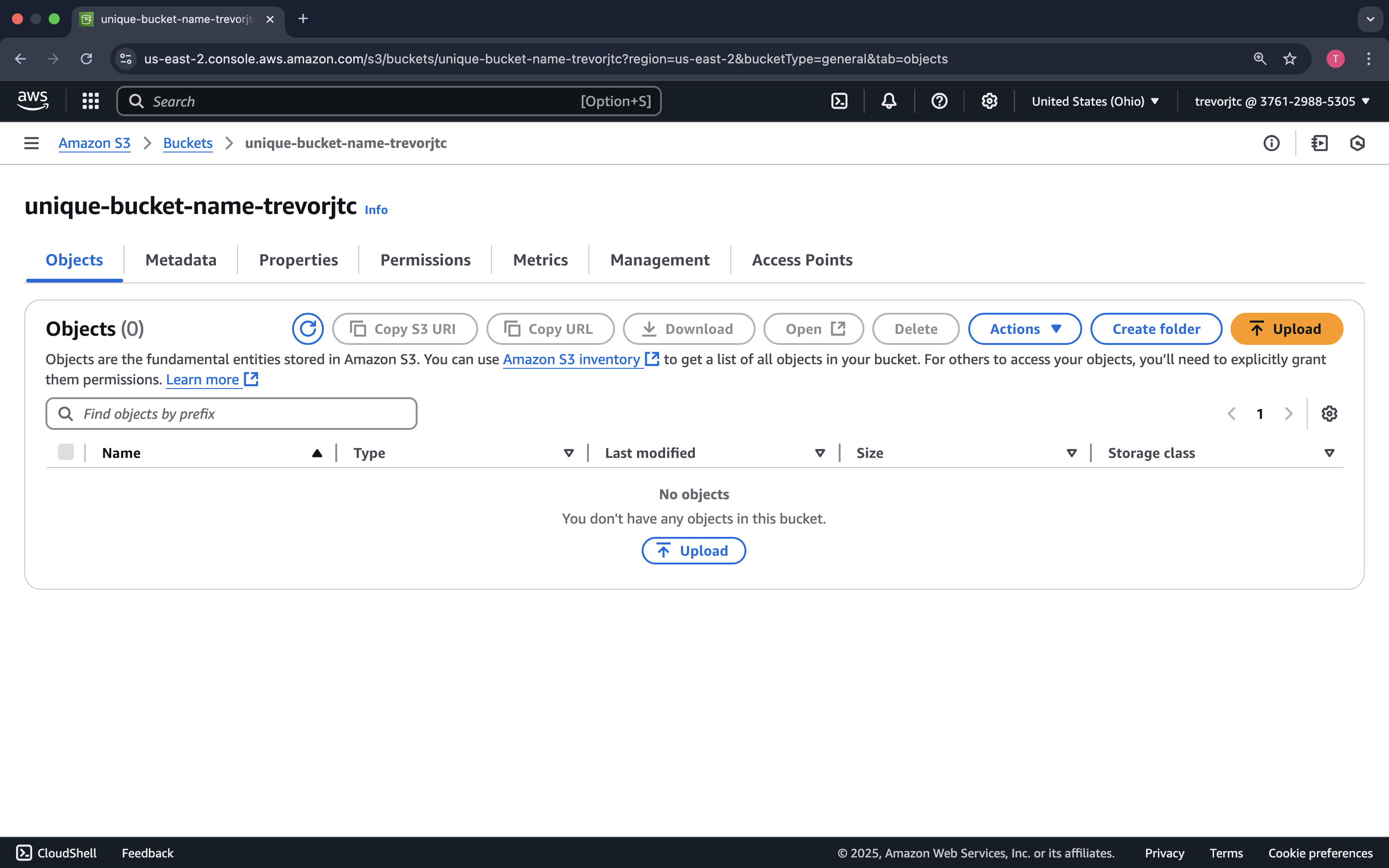
Click Upload
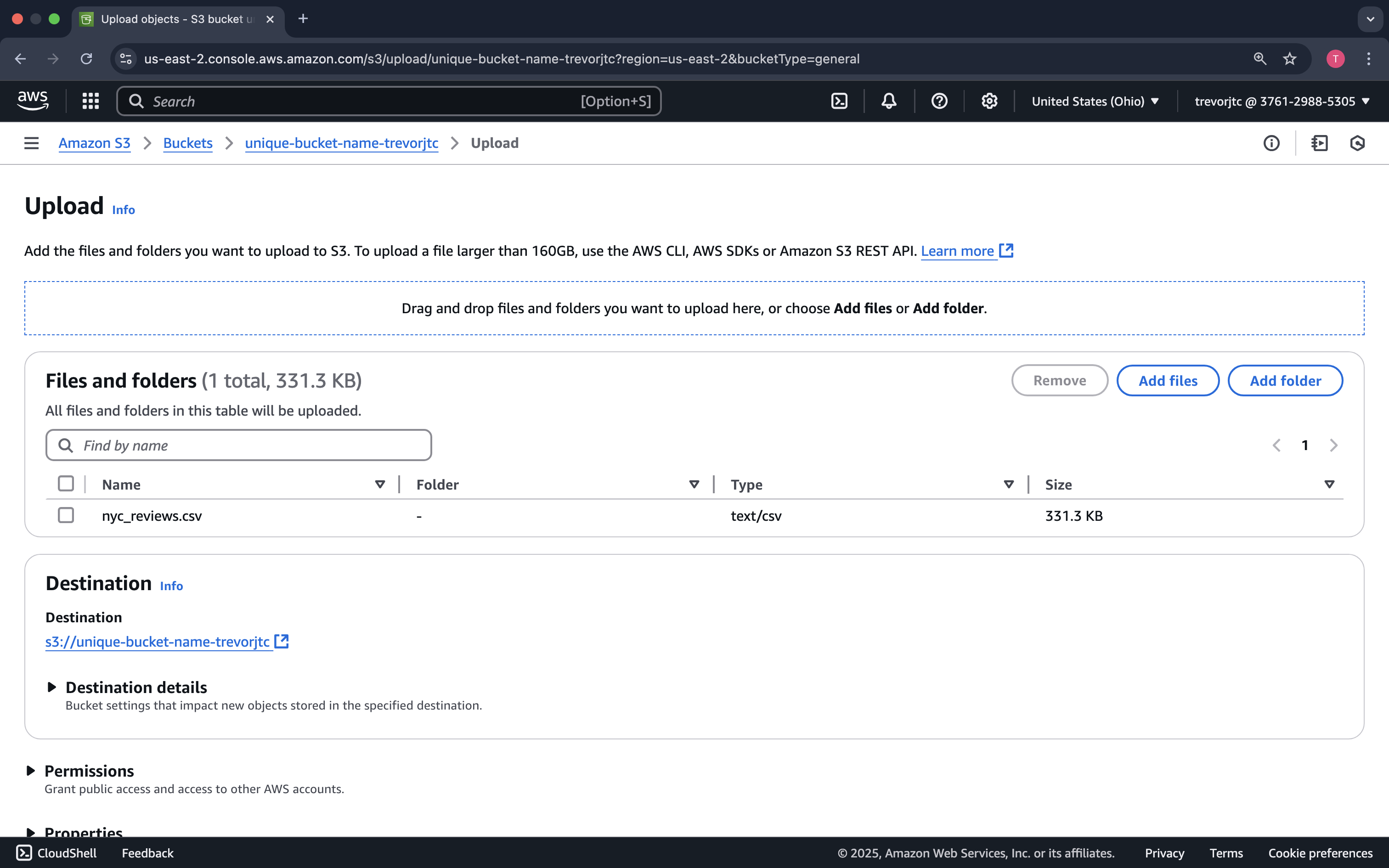
You can either drag the nyc_reviews.csv file to the window or click Add files
Now that our data is uploaded to Amazon S3, let's run our pipeline to generate our clean data based on our Data Scientists' requests.